Showing posts with label after effects. Show all posts

HANGOUT | HUD Animation with Text and Shape Layers


Thanks everyone who came through for the Hangout! I think we all had a great time and learned A LOT from the process.

Part 1: PRESENTATION


Part 2: DEMO


Remember, hangouts are a fun interactive way to learn new concepts, and they're free!
I look forward to seeing you at the next one!

AE: Expressions Basics

Get started working with expressions in After Effects. No prior experience with code required, and in a few minutes you'll be ready to work on your own to create new expressions and learn how to use functions you need as you go along.

AE: Using Text Animators


The expression mentioned:
if(textIndex % 2 > 0){selectorValue}else{-selectorValue}

AE: Building a Selection Box shaped by 2 Nulls with Expressions


We'll have 2 null objects in the scene that will define the corners of a box. Just like the clicks in creating a rectangle with the marquee tool, the first null defines the origin, and the other is the direction the box goes in. Take this as an exercise in understanding how expressions work with different properties, and hey, you could learn something useful.

So, let's figure this out.

Expressions Library


Welcome! Here you'll find pre-written expressions that you can copy into your projects. I've done my best to explain how they work! I'll update this post as often as I find new and useful expressions.

And remember to Save before applying.
You have been warned!

AE | Build a Monuments Timeline with Shape Layers and Expressions


Hopefully this has had enough time to load

We'll look at how to build a never ending timeline (or scale) that you can move around to any amount without hitting the edges using Expressions and a built-in effect, how to create the counting time, fast and easy method to extract the monuments and some tips on positioning comps while animating.

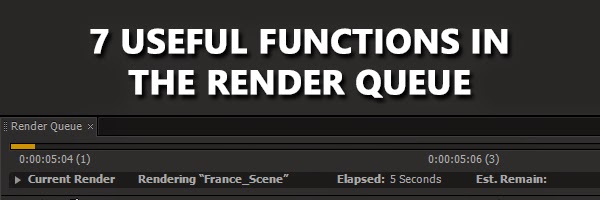
AE | 7 Useful Functions in the Render Queue


Ah, the Render Queue. After Effects' method of pushing out your compositions to movies.
It's pretty straight forward to use, but it also has some powerful and very useful features tucked into it. So, let's take a look at the Render Queue.

All About Expression Controls


Expression Controls are effects that don't seem to do anything to our compositions! But they work as UIs for expressions we create. In this post, we'll take a look at each individual control and see what it can do and how to make use of it.


Change Multiple Comps from a Single Master Composition with Expressions


Okay, here's the scenario, an editor has created promotional material for a few shows. The channel he's working on has specific graphics that I need to make. So, I need to make, for each show, a graphic that shows the name of the show and different versions that say "Tonight at [specific time]", "Next Week", "This Week", "Coming Soon" and so on. Here's how one of them looks:


The problem is there's 6 versions and 4 shows, 24 comps in total. I can't keep rendering, changing text, rendering; it is kinda tiresome and is more prone to mistakes!

This tutorial will take a look at how to set-up your project so all you have to do is change ONE composition and create all 6 variations per show in one go. So technically, I only have to change and render 4 times, as compared to 24.
As always, this technique can be used for anything that requires batch editing and rendering, so adjust it for your specific uses.

AE | Expression Driven Gauge - Part 2


In the first post, we looked at building the base and setting up the numbers, now we're gonna make the Master control and get the bar to change colors.

AE | Expression Driven Gauge - Part 1


Expressions!! Expressions can be used to control various properties of a layer but their use if quite situational. It really depends on how you intend to use your composition. This will affect the approach you take as well as whether it's necessary to use an expression at all. I think the best way to illustrate this is to use a real-world example: a gauge!

So, we're going to make a "Core Temp" gauge as in the header above. It's pretty simple, right, but we're mainly going to focus on the decisions we make about the expressions driving the different elements that make up the gauge, and how we're going to set up the entire composition to be 'expression-friendly'.

AE Quick Tip 03 | Comp and Layer Markers

Here's another quick tip on adding markers to compositions and layers. Very useful for future reference.

AE Tip 02 | Change Default Render Queue Output Module

The Lossless output module that's default in After Effects leads to some REALLY huge files. Here's a quick tip on how to change that default to your own preset. I personally prefer Quicktime or High-bitrate FLV as my default render setting.


Hey, if you enjoyed, consider subscribing and sharing!

AE TIP 01 | Using Dingbat Characters

Hey!
Welcome to AE Tips. In this series I'll be explaining some very useful techniques when working with After Effects. You guys liked them on Twitter, now they come in quick videos.
In this episode, we'll look at how to use dingbat fonts like Wingdings and Webdings to get the vector characters you're looking for.


Let me know what you think.
Lots more to come, so subscribe to the channel for updates on new episodes!

TUTORIAL | Using INTERFERE on Holographic UIs

In the first of many video tutorials, I explain how to setup i2c_INTERFERE for a quick RGB-split and distort effect for this holographic UI panel.

Get i2c_INTERFERE in the Presets Pack here.


Your feedback is appreciated.

TUTORIAL | Snowflakes with Shape Layers and Stacked Modifiers

The festive season is upon us and the Christmas work begins.
As a little helper, I thought I'd share this video on how to use Shape Layers and their modifiers to create fancy shapes and snowflakes. There's also lots more you can do with this technique, but I'll leave that up to you :-D


Wait a second! Tip 32?
I've been posting plenty of tips on Facebook and Twitter! If you'd like to stay up to date, follow @i2cblog or join Ideas to Creations page. There's plenty of useful info, and feel free to share your own discoveries!!

Enjoy!

Multipass Compositing with Cinema4D and After Effects 03


So in the previous part, our comp is in AE but it's looking bright. I thought I'd take a moment for us to look at why this is happening and how to fix it.

Multipass Compositing with Cinema4D and After Effects 01


Multipass rendering is the future. Everybody's doing it, and it gives lots of extra control.
Cinema4D works great with Adobe After Effects, and in this tutorial, I'll be showing you a handy workflow for working with multipasses and After Effects. This is Part 01 of 03.

AfterEffects - Joining Points in 3D Space with a Line with Expressions


So the final chapter of the Line tutorials, let's look at how to connect our 2D line layer to 3D points, that are either parented or not.

AE Workflow 02: Shy, Markers and Layer Colors


When you're working in the timeline of a specific composition, you can sometimes find yourself with hundreds of layers, including pre-comps. Managing these can be difficult, so in this post I'll introduce you to three solutions to help keep stuff organised, which in turn makes your workflow a lot faster and smoother.